RUBI presenter

RobLabs · Operational intelligence

RUBI

Turn complexity into clear, authorized action.

A persistent assistant for your life and your business. Voice, vision, connected work, specialist agents and an understandable view of your devices, together.

Android & iOSDesktopPermission-controlled
RUBI — Robotic Universal Brain Interface

Meet RUBI

Business, everyday life and permission-controlled intelligence. English presentation · Illustrative workflows.

Download presentation

Presenter mouth animation is approximate; demonstrations are identified as simulations.

Business solutions

Start with a costly problem. Build a controlled solution.

Illustrative workflows show how RUBI can support teams. Connected data, permissions and human review are prerequisites; these are not customer results or guarantees.

IT & security

The problem

A weak configuration or suspicious connection goes unnoticed.

The RUBI workflow

Review available authorized signals, surface evidence, assign a specialist and request approval for remediation.

Reduce investigation friction and exposure time, without promising complete detection.

Sales & customer follow-up

The problem

Enquiries are scattered across connected systems.

The RUBI workflow

Summarize authorized records, identify follow-up candidates and draft messages for review.

Give staff more time for qualified conversations; revenue impact must be measured.

Finance & purchasing

The problem

A duplicate invoice or recurring cost is buried in supplied records.

The RUBI workflow

Compare documents, flag a possible discrepancy and prepare a review task with source evidence.

Help avoid preventable overpayment after a human confirms the finding.

Retail & operations

The problem

Order updates and customer questions overwhelm a small team.

The RUBI workflow

Organize approved order data, draft replies and delegate bounded research and documentation tasks.

Reduce repetitive handling and rework; connected inventory automation depends on the provider.

Professional services

The problem

Teams repeatedly read the same long documents.

The RUBI workflow

Summarize provided material, extract questions, compare versions and prepare a sourced briefing.

Shorten preparation time while keeping legal, financial and medical judgment with professionals.

Management & delivery

The problem

A complex project has unclear handoffs and no evidence of completion.

The RUBI workflow

Create bounded specialist tasks, track approval and checkpoints, then consolidate evidence and unresolved issues.

Make accountability visible and reduce missed handoffs; no fictional completed work.

RUBI AI Police & Inside My Computer

Make signals understandable. Keep responses accountable.

AI Police organizes supported observations around device entry points. RUBI Guard analyzes patterns in AI workflows, sensitive text and permitted tool scope. Together, they help explain findings and coordinate a controlled response.

Suspicious sign-in pattern

Review authorized authentication logs and corroborate the signal before escalation.

Illustrative investigation scenario

Unexpected network connection

Compare available connection observations; investigate context rather than assume an attack.

Illustrative investigation scenario

Possible unsafe configuration

Review supplied settings and provider evidence; propose a controlled remediation.

Illustrative investigation scenario

Questionable message or URL

Explain warning signs and validate the source before a user follows instructions.

Illustrative investigation scenario

A coordinated layer, not an antivirus replacement.

Available Windows Defender readings are provider observations, not independent RUBI malware detection. A visual patrol is not a scan. Continuous whole-device protection, autonomous attack removal and universal detection are not established. Keep antivirus/EDR active; remediation requires supported tools, evidence and authorization.

01

Observe available evidence

02

Explain and assign a scoped task

03

Approve, act and verify the result

24 design differentiators

The difference is how the pieces work together.

Implemented product patterns, not exclusive inventions or a claim of superiority. Availability depends on deployment, connection and device; beta features are named.

01

Persistent owner rules

Keep approved preferences and rules beyond a single conversation.

02

Curated memory

Review sourced facts instead of letting model output silently become permanent knowledge.

03

One voice and text assistant

Use shared conversational context across supported voice and written channels.

04

A visible mobile wheel

Reach tools around the presenter; Android overlay requires native permission. iOS uses the in-app wheel.

05

Consented screen context

Explain a shared screen using successful readings, not merely a capture indicator.

06

Explicit camera selection

Choose a supported camera without silently substituting another source.

07

Account-aware email

Prepare and send through authorized mailboxes under the owner's permission policy.

08

Connected operational tools

Bring approved service tools into the assistant; a catalog listing is not a connection.

09

Specialist agent registry

Organize configured software agents with identities and task records.

10

Agent training

Equip specialists with reviewed knowledge, examples and permitted tools.

11

Deployment gates

Require the latest evaluation to pass before a trained agent is deployed.

12

Governed handoffs

Delegate bounded tasks with explicit authority rather than unlimited autonomous loops.

13

Budgets and kill switches

Limit agent work and stop execution through a common control plane.

14

Policy before action

Check owner authorization before tools and tasks can execute.

15

Execution evidence

Separate a requested action, an attempted action and a verified external result.

16

Organization isolation

Keep organization records and access separate from personal and school scopes.

17

Inside My Computer

Explore available device observations in a visual environment; buildings are not security scans.

18

AI Police supervision

Organize available security signals, findings and permission-controlled response paths.

19

Bounded self-healing

Track scoped incidents and limit repair attempts before human escalation.

20

Cross-channel agent knowledge

Reuse evaluated agent training across supported chat, widget and API channels.

21

Preventive analysis · beta

Link observed signals to possible consequences and proposed preventive tasks.

22

Value verification · beta

Keep identified, approved and realized value separate; only evidence supports realized value.

23

Consent revocation

Stopping capture revokes the session and clears stale screen context.

24

Android, iOS and Desktop

Bring the assistant to different devices while respecting each platform's actual capabilities.

50 ways to support everyday life

More clarity. Less repetitive work.

Ideas for assisted workflows, not 50 independently verified automations. Research needs sources, records need your input, device readings need permission, and external actions need a supported connection. No medical, legal or investment decisions are delegated.

01 · Everyday organization

Turn a goal into a checklist

02 · Everyday organization

Break a complex task into steps

03 · Everyday organization

Prioritize a busy day

04 · Everyday organization

Draft a weekly plan

05 · Everyday organization

Prepare a packing list

06 · Everyday organization

Organize questions before an appointment

07 · Everyday organization

Compare household service proposals

08 · Everyday organization

Create a moving checklist

09 · Everyday organization

Plan errands by location

10 · Everyday organization

Prepare a family event agenda

11 · Communication & accessibility

Draft a clear email

12 · Communication & accessibility

Rewrite a difficult message politely

13 · Communication & accessibility

Translate a message

14 · Communication & accessibility

Practice a conversation in another language

15 · Communication & accessibility

Summarize a long document

16 · Communication & accessibility

Explain a shared screen

17 · Communication & accessibility

Describe an uploaded image

18 · Communication & accessibility

Read visible text from a supported camera

19 · Communication & accessibility

Create a voice-first task plan

20 · Communication & accessibility

Prepare questions for a customer-service call

21 · Money & informed decisions

Build a budget from figures you provide

22 · Money & informed decisions

Categorize an uploaded expense list

23 · Money & informed decisions

Compare subscription costs

24 · Money & informed decisions

Identify duplicate expenses in supplied records

25 · Money & informed decisions

Draft a cancellation request

26 · Money & informed decisions

Compare product specifications

27 · Money & informed decisions

Research a purchase with sources

28 · Money & informed decisions

Prepare a negotiation checklist

29 · Money & informed decisions

Calculate savings scenarios from your assumptions

30 · Money & informed decisions

Explain an invoice before you approve payment

31 · Learning, creativity & career

Explain a difficult concept

32 · Learning, creativity & career

Build a study plan

33 · Learning, creativity & career

Create practice questions

34 · Learning, creativity & career

Review a résumé

35 · Learning, creativity & career

Practice interview questions

36 · Learning, creativity & career

Draft a cover letter

37 · Learning, creativity & career

Outline a presentation

38 · Learning, creativity & career

Brainstorm a small-business idea

39 · Learning, creativity & career

Compare training courses

40 · Learning, creativity & career

Turn notes into a structured report

41 · Travel, technology & personal projects

Research an itinerary

42 · Travel, technology & personal projects

Compare travel options

43 · Travel, technology & personal projects

Translate travel phrases

44 · Travel, technology & personal projects

Prepare a document checklist

45 · Travel, technology & personal projects

Explain an error message

46 · Travel, technology & personal projects

Walk through device settings

47 · Travel, technology & personal projects

Review a suspicious message for warning signs

48 · Travel, technology & personal projects

Plan a backup routine

49 · Travel, technology & personal projects

Summarize authorized device observations

50 · Travel, technology & personal projects

Coordinate permitted specialist tasks for a project

A fair, sourced comparison · 27 October 2026

Choose the right combination, not an empty promise.

Other AI products also have agents, integrations and enterprise controls. RUBI's proposition is its integrated operating experience. No independent benchmark establishes that RUBI is more capable than every competing solution.

RUBI, OpenAI ChatGPT, Microsoft Copilot and antivirus/EDR comparison
DimensionRUBIOpenAI / ChatGPTMicrosoft CopilotAntivirus / EDR
Conversation & connected toolsShared assistant and approved integrationsChatGPT supports conversation, apps and agentsCopilot supports enterprise assistance and connectorsFocused on endpoint security, not general conversation
Specialist agentsRegistry, training, evaluation gates and bounded handoffsAgents and approved integrations are documentedAgents and enterprise orchestration are availableSecurity automation varies by product and license
Memory & permissionsCurated owner context and governed tool policiesMemory and workspace controls vary by planEnterprise data access and source permissions applySecurity policy and managed endpoint scope apply
Device visibilityInside My Computer visualizes supported local observationsSurface and device access depend on product and authorizationAccess depends on connectors and product configurationEndpoint telemetry is a core EDR capability
Threat detection & responseAI workflow checks and available security readings; not a replacement for EDRAI assistance is not equivalent to endpoint protectionCopilot is distinct from Microsoft's Defender security productsBehavioral detection and response actions are documented
Mobile availabilityAndroid and iOS assistant; cross-app wheel is Android-specificMobile product capabilities depend on the app and planMobile experiences depend on the specific Microsoft productAndroid and iOS protection differ by OS and configuration
Outcome evidenceAction attempts and external evidence remain distinctTask results need workflow-specific verificationAuditing and outcomes depend on configured productsSecurity events are not proof of complete protection

Public documentation researched 27 October 2026; product plans, regions and configurations differ. RUBI statements describe source-backed implementation, not physical-device certification.

Android and iOS. Honest platform boundaries.

The assistant is accessible on both. Android's native floating wheel requires overlay permission and physical validation. On iOS, the wheel stays inside RUBI; Apple shells are prepared, not a verified TestFlight release or arbitrary cross-app control.

Specialist teams, not unbounded autonomy.

Create and train software agents, control their tools, evaluate deployment readiness and govern handoffs. Scale follows measured capacity and permission; RUBI does not claim a tested fleet of physical robots or unlimited agents.

Bring RUBI into your next chapter.

Tell us about your work, your team or the everyday challenge you want to solve. Start with one measurable workflow.

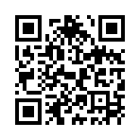
QR code opening the RUBI solutions and interest page

rubi.robsystems.ai/solutions

Our goal: keep expanding RUBI's technology, usefulness and verified capability.